
Coursebox AI Review 2026: Features, Pricing & Verdict
Coursebox AI Review 2026: Features, Pricing & Verdict
Online education isn’t slowing down. If anything, it’s speeding up.
Coaches are turning knowledge into digital products. Companies are building internal academies. Consultants are packaging expertise into scalable training programs. Universities are blending in-person lectures with digital modules.
But here’s the problem.
Creating a high-quality online course takes time. A lot of it.
You need structure. Lessons. Learning objectives. Quizzes. Assessments. Hosting. Branding. Payments. Analytics. And that’s before you even think about marketing.
That’s where AI tools like Coursebox.ai enter the conversation.
Coursebox AI claims to dramatically reduce course creation time by using artificial intelligence to generate structured courses from your existing materials. Upload a document, paste a link, drop in a video, and the platform builds a course framework complete with lessons and quizzes.
Sounds almost too convenient.
So the real question is: does it actually deliver?
In this deep, practical, no-fluff review, we’ll cover:
What Coursebox AI actually is
How it works in real use
Key features and how they perform
Who it’s best suited for
Strengths and weaknesses
Pricing considerations
How it compares to traditional tools
Whether it’s worth your investment
Let’s dig in.
What Is Coursebox AI, Really?
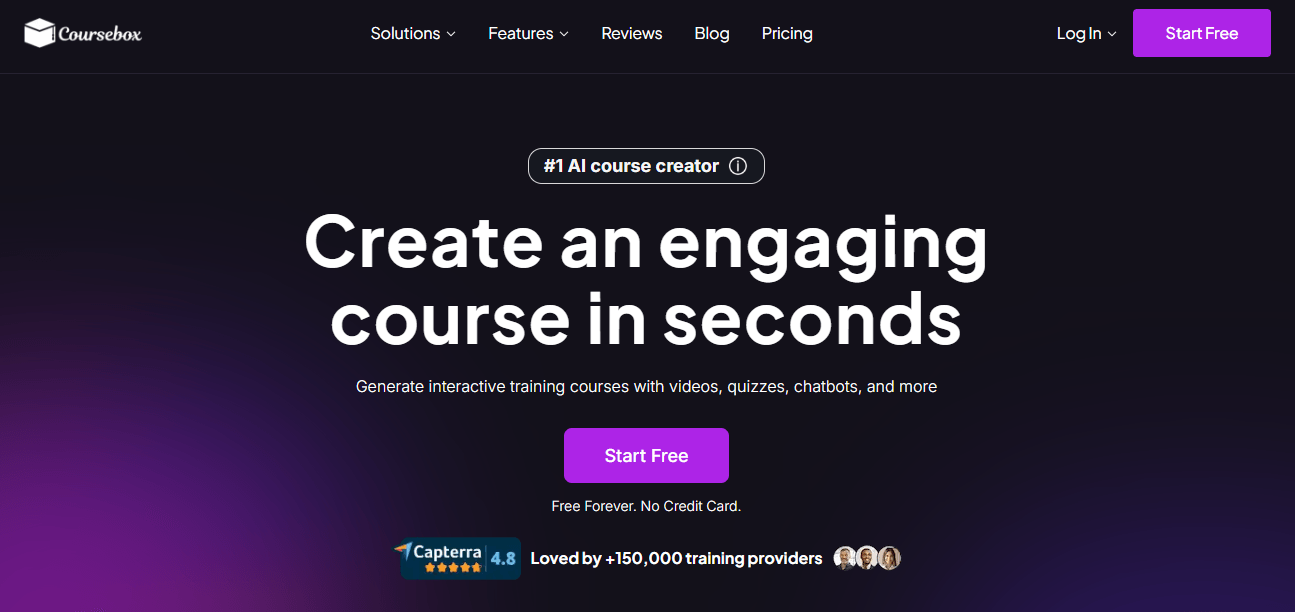
At its core, Coursebox AI is an AI-powered course creation and delivery platform.
It combines three major components into one system:
1. AI-driven course generation
2. A built-in course editor
3. A learning management system (LMS) for hosting and tracking
Instead of manually writing every lesson, structuring modules, creating assessments, and setting up hosting, you provide raw content. The AI processes it and generates a structured course outline with lessons and quizzes.
Think of it as an AI instructional designer sitting next to you, helping you build faster.
It’s designed for speed and accessibility, not just for professional instructional designers but also for:
Business owners
Trainers
HR teams
Educators
Coaches
Consultants
The platform aims to eliminate the “blank page” problem that slows so many people down when building online learning programs.
The Core Promise: Faster Course Creation
Traditional course creation can take weeks or months.
Even experienced professionals spend hours:
Structuring outlines
Writing learning objectives
Drafting lesson summaries
Creating assessments
Formatting everything inside an LMS
Coursebox AI’s value proposition is simple: automate the heavy lifting.
Upload your content and let the AI generate:
Modules
Lesson breakdowns
Learning objectives
Quizzes
Assessments
Then you refine and publish.
The big appeal here isn’t perfection. It’s acceleration.
Getting Started: The First Experience
When you first log in, the interface feels modern and minimal. It doesn’t overwhelm you with complex menus or enterprise-style dashboards.
You’re typically prompted to create a new course with options like:
Generate from a document
Generate from a URL
Start from scratch
Import content
The workflow is intuitive. You upload content or provide a prompt. The AI analyzes it. Then it produces a structured draft course.
One thing that stands out immediately is that the AI-generated structure isn’t locked. You can:
Regenerate sections
Edit module names
Rewrite lessons
Add new material
Delete unnecessary parts
It feels collaborative rather than rigid.
Feature Deep Dive: What Coursebox AI Actually Offers
Let’s break down the key features and what they mean in practice.
1. AI Course Generator
This is the platform’s main attraction.
You can upload:
PDFs
Word documents
PowerPoint presentations
Website URLs
Training manuals
Video transcripts
The AI processes the material and generates:
A course title
A structured module outline
Individual lessons
Learning objectives
Suggested quizzes
If your input content is well-organized, the output is surprisingly clean.
If your source material is messy, the AI still builds structure, but you’ll need more editing.
The biggest benefit? You’re not starting from zero.
That psychological shift alone is powerful.
2. AI Quiz and Assessment Creation
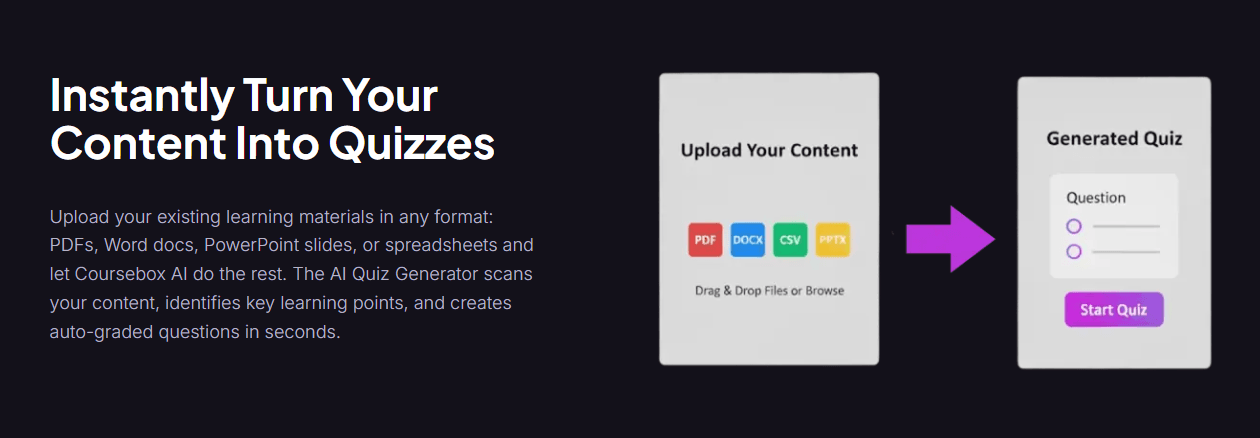
Writing quizzes is one of the most time-consuming parts of course design.
Coursebox AI automatically generates:
Multiple-choice questions
True/false questions
Short answer prompts
Assessments tied to lesson objectives
The quality is generally solid for foundational knowledge checks. The questions reflect the material and are logically connected.
Are they perfect? No.
You will likely tweak phrasing or adjust difficulty. But as a starting point, they save serious time.
For corporate training teams handling compliance or policy courses, this feature alone can reduce workload significantly.
3. AI Tutor / Chatbot
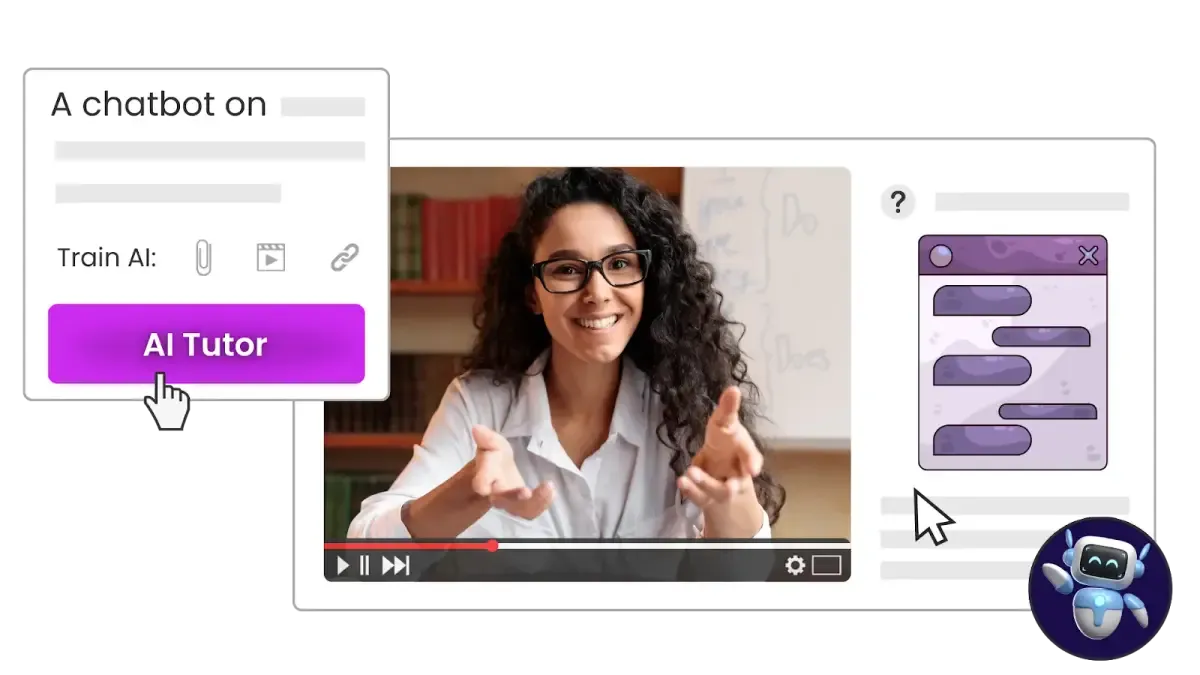
One of the more innovative features is the AI tutor.
You can enable a chatbot that is trained on your course content. Learners can ask questions during the course, and it responds based on the material you’ve uploaded.
For example:
“Can you explain this concept again?”
“What was the key point in Module 2?”
“Give me an example of this process.”
The AI responds in context.
This adds an interactive element without requiring a live instructor.
For self-paced courses, this can increase engagement and reduce learner frustration.
Of course, it’s only as good as the content it’s trained on. If your course is thin or vague, the AI tutor will reflect that.
4. Built-In Learning Management System (LMS)
Coursebox AI isn’t just a content generator. It also includes an LMS.
This means you can:
Host courses directly
Enroll learners
Track progress
Issue certificates
Monitor completion rates
Analyze performance
For small to mid-sized organizations, this removes the need for separate LMS software.
If you’re already using a corporate LMS, Coursebox AI allows export options (like SCORM or LTI compatibility) so you can integrate generated content into your existing system.
This flexibility is important for scalability.
5. White-Label and Branding Options
If you’re building a training business, branding matters.
Coursebox AI offers white-label capabilities such as:
Custom domain
Logo uploads
Color customization
Branded course portals
This allows businesses to present a professional, cohesive learning environment.
Instead of sending clients to a generic platform, you can create a branded academy experience.
6. Monetization and Payments
If you want to sell courses, Coursebox AI supports payment integrations with platforms like Stripe and Shopify.
This allows creators to:
Set course prices
Offer subscriptions
Create discount codes
Bundle programs
For solo entrepreneurs and coaches, this removes the need to stitch together multiple tools.
What It’s Like to Use Day-to-Day
Features are impressive on paper. But how does it feel in real use?
Here’s the honest experience.
It’s Fast. Really Fast.
You can generate a course draft in under 15 minutes if your source content is ready.
That’s not marketing hype. That’s a real productivity gain.
The AI handles structural work quickly, which frees you up to focus on refinement.
Editing Is Still Essential
This is important.
Coursebox AI is not a “click once and publish forever” tool.
You will need to:
Refine learning objectives
Adjust lesson tone
Improve clarity
Remove repetition
Add real-world examples
The AI does the heavy lifting. You provide the expertise.
If you expect it to replace thoughtful instructional design entirely, you’ll be disappointed.
If you treat it as a drafting assistant, it shines.
Best for Structured, Informational Content
Coursebox AI performs strongest with:
Compliance training
Corporate policies
Technical documentation
Onboarding programs
Process training
Standardized educational material
It’s less impressive for:
Highly creative storytelling courses
Advanced academic research programs
Deep philosophical discussions
It’s optimized for structure and clarity, not creative nuance.
Who Should Use Coursebox AI?
Not every tool fits every audience. Here’s where Coursebox AI makes the most sense.
Corporate Training Teams
If you have:
Employee handbooks
Compliance documents
SOP manuals
Safety guidelines
You can convert them into digital courses quickly.
This saves time and reduces reliance on external instructional designers.
Coaches and Consultants
Subject matter experts often struggle with course creation logistics.
You might have:
Workshop slides
Seminar recordings
Blog content
Client frameworks
Coursebox AI helps turn that raw material into structured programs fast.
For coaches transitioning from live sessions to scalable online courses, this is especially helpful.
Educational Institutions
Universities and schools experimenting with hybrid learning can use Coursebox AI to:
Convert lecture notes into modules
Add quizzes for reinforcement
Create supplementary digital materials
It won’t replace full academic course design teams, but it can accelerate workflow.
Entrepreneurs Launching Digital Products
If you’ve been delaying your online course because it feels overwhelming, this tool reduces friction.
It doesn’t eliminate work. But it makes the process far less intimidating.
Where Coursebox AI Falls Short
Every tool has limitations.
Here are the most realistic ones.
AI Quality Depends on Input
If your source material is disorganized or poorly written, the AI output will reflect that.
It can organize. It can summarize. But it can’t invent clarity from chaos.
Limited Advanced Interactivity
If you need complex simulations, advanced gamification, or highly custom design, traditional eLearning tools may offer more depth.
Coursebox AI focuses on speed and accessibility over advanced design.
Risk of Generic Tone
AI-generated content can feel slightly generic if left unedited.
This is easy to fix with human refinement. But skipping editing will result in average-quality courses.
Pricing and Value Considerations
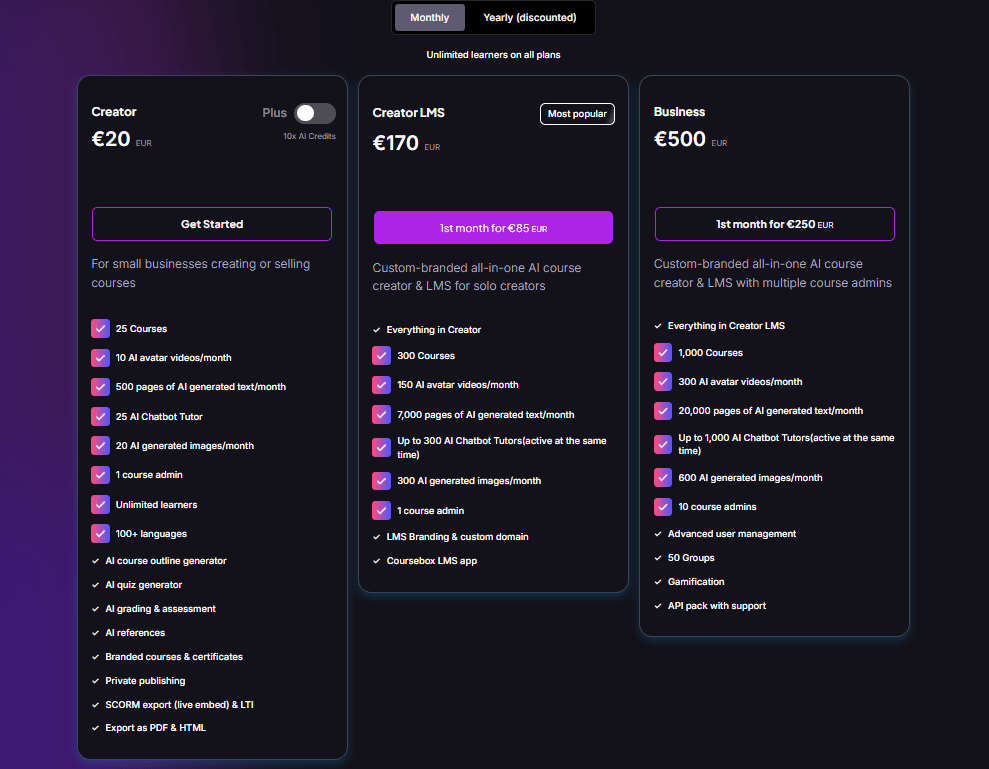
Pricing structures may vary over time, so it’s important to check the official website.
Generally, platforms like this offer:
Free trial or limited free plan
Creator tier
Business tier
Enterprise tier
Higher tiers usually include:
More AI generation credits
Advanced branding
Team collaboration
Expanded analytics
LMS capacity upgrades
When evaluating cost, compare it to:
Hiring instructional designers
Purchasing separate LMS software
Using multiple AI writing tools
For many small and mid-sized businesses, Coursebox AI can be cost-effective when replacing several separate tools.
User Reputation and Feedback
On software review platforms such as Capterra, Coursebox AI has received positive reviews for ease of use and speed.
Users commonly praise:
Quick course generation
Intuitive interface
Strong value for money
Common criticisms include:
AI needing manual correction
Limited advanced customization
Occasional content repetition
Overall, sentiment leans positive, especially among small businesses and training providers.
Coursebox AI vs Traditional Course Authoring Tools
Let’s compare in broad terms.
Traditional Tools (Articulate, Captivate, etc.)
Strengths:
High customization
Advanced interactive elements
Deep enterprise functionality
Weaknesses:
Steep learning curve
Time-intensive development
Higher cost
Requires design expertise
Coursebox AI
Strengths:
Extremely fast generation
Beginner-friendly
Built-in LMS
AI-powered drafting
Weaknesses:
Less advanced interactivity
Requires editing
Not ideal for complex simulations
The tradeoff is clear: speed and simplicity versus depth and customization.
A Practical Scenario
Imagine an HR department with a 150-page compliance manual.
Without AI, turning that into a digital course would involve:
Breaking it into modules
Writing summaries
Creating quizzes
Formatting lessons
Uploading to LMS
That could take weeks.
With Coursebox AI:
1. Upload the document.
2. Generate a structured course draft.
3. Review and refine.
4. Publish internally.
It doesn’t eliminate effort. But it compresses the timeline dramatically.
The Bigger Picture: AI in Education
Coursebox AI represents a broader shift.
AI isn’t replacing educators.
It’s accelerating production.
The bottleneck in education has always been time and structure. AI reduces friction in those areas.
But thoughtful instructional design, real-world examples, and expertise still matter.
The best results happen when humans and AI collaborate.
Final Verdict: Is Coursebox AI Worth It?
Here’s the balanced conclusion.
Coursebox AI is not magic. It will not build a world-class course without human refinement.
But it does something incredibly valuable:
It removes the blank page.
It speeds up the structure.
It simplifies the process.
For corporate training teams, consultants, coaches, and small businesses, it can significantly reduce course production time.
For large enterprises needing complex interactive experiences, it may function better as a prototyping tool.
If your priority is speed, accessibility, and automation, Coursebox AI is worth serious consideration.
If your priority is highly customized, advanced interactive learning experiences, you may need additional tools.


Ako Reviews Blog is a platform dedicated to helping online businesses reach their full potential. It offers in-depth guides on product reviews, social media marketing, and comprehensive online business strategies. Whether you're an entrepreneur or a marketer, Ako Reviews Blog provides practical tips and expert insights to help you grow and succeed in the digital marketplace.
Stay informed with valuable tips delivered straight to your inbox.
Created with systeme.io 2026 | Home | Privacy Policy | Terms and Conditions | Disclaimer | Contact